For as long as I can remember, I’ve been interested in computers, servers, network gear, and all other gizmos and gadgets.
When I was in middle school and high school, I “broke” our family computer more times than I can count. When my parents told me they couldn’t afford to keep paying to have the computer fixed if I kept breaking it, I decided that I should probably learn the basics of how to fix them myself.
I was lucky enough to have a former classmate that opened a computer repair shop after he graduated a few years before me. I took the computer there (in a working state for once!) to get more RAM added (probably from 256 MB to 512 MB, maybe from 512 MB to 1 GB at that time), and he offered to show me how simple the upgrade process was when I dropped it off. I was hooked from that point forward.
I’ve been accumulating computers and the aforementioned homelab-related hardware all of my adult life, and it has been an ever-evolving labor of love that I have never considered to be in a finished state - and probably never will.
This is the first in a 2-part series on my homelab. This post covers the hardware side of things, and the next post will cover the software side of things.
The brains of the operation
Minisforum MS-01
My primary Proxmox virtualization host that runs various VMs and LXC containers
- Intel Core i9-12900H
- 64 GB DDR5 memory
- 1 TB NVMe SSD
GMKtec M3 Pro Mini PC
My backup Proxmox virtualization host and runs a small number of core services that are critical to my infrastructure
- Intel N150 CPU
- 16 GB DDR4 memory
- 512 GB NVMe SSD
Custom-Built Desktop
Was previously my daily driver desktop computer, but I have since begun using my M1 MacBook most of the time, so this has been running Pop!_OS in headless mode with the NVIDIA RTX 3060 12GB GPU for local AI workloads
- AMD Ryzen 7 5800X CPU
- 32 GB DDR4 memory
- 1 TB NVMe SSD
- NVIDIA RTX 3060 12GB GPU
Data Storage
Minisforum N5 Air NAS
The newest machine in my “fleet” with intentions of being my new primary NAS/bulk storage device since it has 5 drive bays and better hardware than the Synology NAS, and it is running Unraid as the base OS
- AMD Ryzen 7 255 CPU w/ Radeon 780M Graphics
- 32 GB DDR5 memory
- 5x 4 TB WD Red HDDs for bulk data storage
- 2x 256 GB NVMe SSDs for cache pool
- 1x 5 GbE and 1x 10 GbE network ports
Synology DS923+ NAS
Was previously my primary NAS/bulk storage system, but with the weak hardware and only 4 drive bays it will become my backup NAS to have 2 copies of my data
- AMD Ryzen R1600 CPU
- 32 GB DDR4 memory
- 4x 4 TB WD Red HDDs for bulk data storage
- 2x 128 GB NVMe SSDs for cache pool
FriendlyElec CM3588 NAS
Running OpenMediaVault, and with the 4x 256 GB NVMe SSD’s is intended to be deployed at a friend’s house as a remote backup utilizing Tailscale to transfer my most important data in the event of a disaster recovery scenario
- Rockchip RK3588 CPU
- 8 GB DDR4 memory
- 64 GB on-board flash storage for OS storage
- 4x 256 GB NVMe SSDs for bulk data storage
Keeping things calm, cool, and connected
Protectli fanless device
Currently running pfSense CE, but I am debating either installing OPNsense on it OR purchasing a Unifi gateway since the majority of my other network hardware is Ubiquiti
- Intel N100 CPU
- 16 GB DDR4 memory
- 4x 2.5 GbE network ports
Everything else
- Cisco C3650X 48-port switch - Acts as distribution from the pfSense firewall to other parts of the house; getting a bit old and needs replaced
- 6x Unifi 2.5 GbE 5-port switches - Used for connecting devices and to further extend the network
- TP-Link 24 port switch - Acts as distribution in my upstairs office for 1 Gbps connections
- Unifi 16-port PoE switch - Slated to go into my mini rack once I finalize the layout of the hardware for it
- 3x Unifi Mesh 6 access points - Provide wifi to the house and yard
- 2.5G MoCA adapters - I needed a reliable way to get a hardwired connection from the main floor in the house to my office upstairs and there was existing coaxial cable run throughout the house when it was built
- JetKVM - Allows for remote management of devices that do not have an IDRAC, ILO, or other management interface
- KVM Switch Paired With JetKVM - Allows me to use the JetKVM with up to 4 devices vs. just a single one that it would otherwise be physically connected to
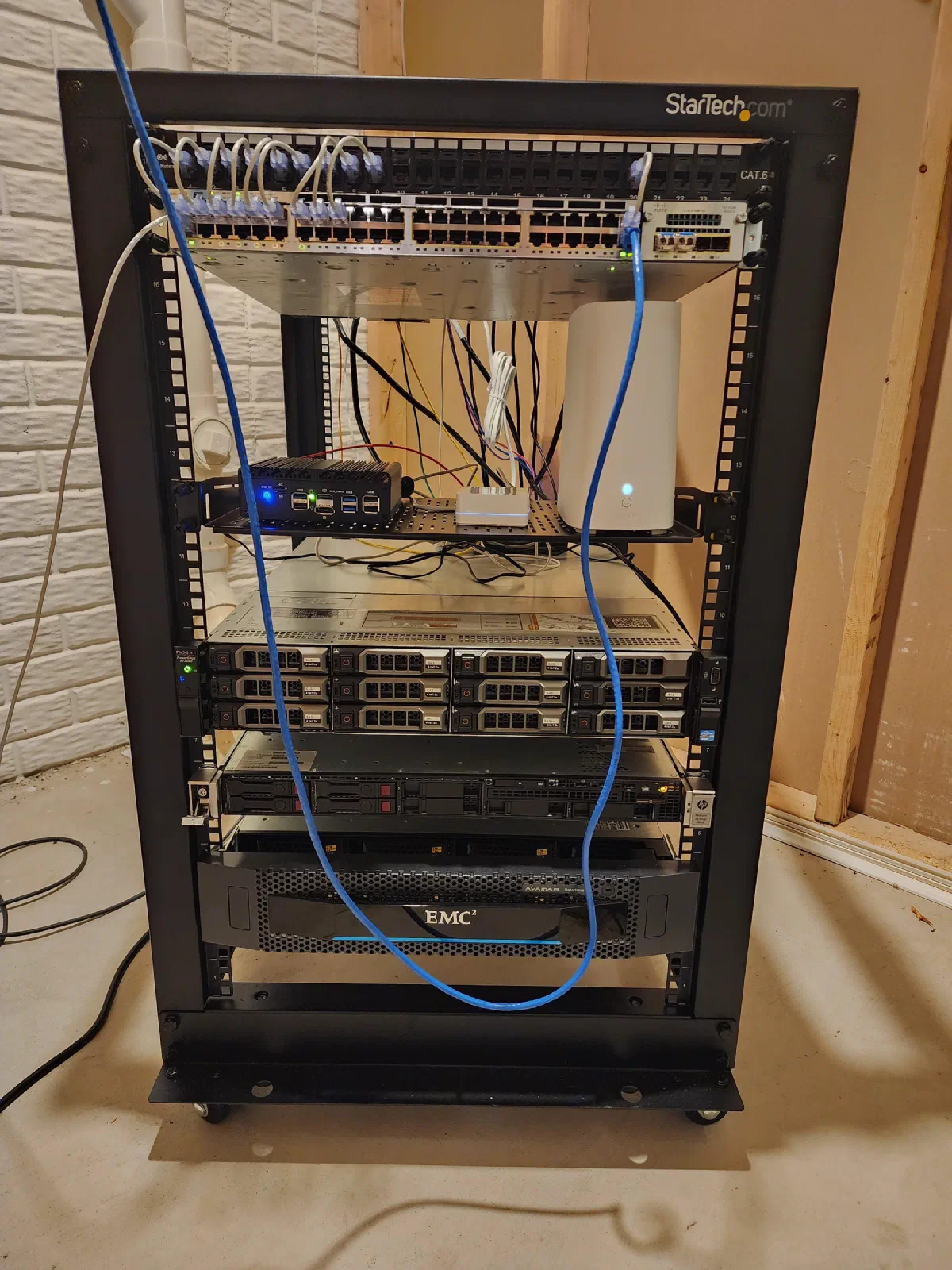
- 19" 18u rack - My first rack that is still in the HVAC room in my basement holding a couple of rackmount servers that haven’t been powered on in ages and need to be sold/recycled, the Cisco C3650X 48-port switch, and a shelf that holds my AT&T fiber gateway, my Protectli firewall, and my Lutron hub
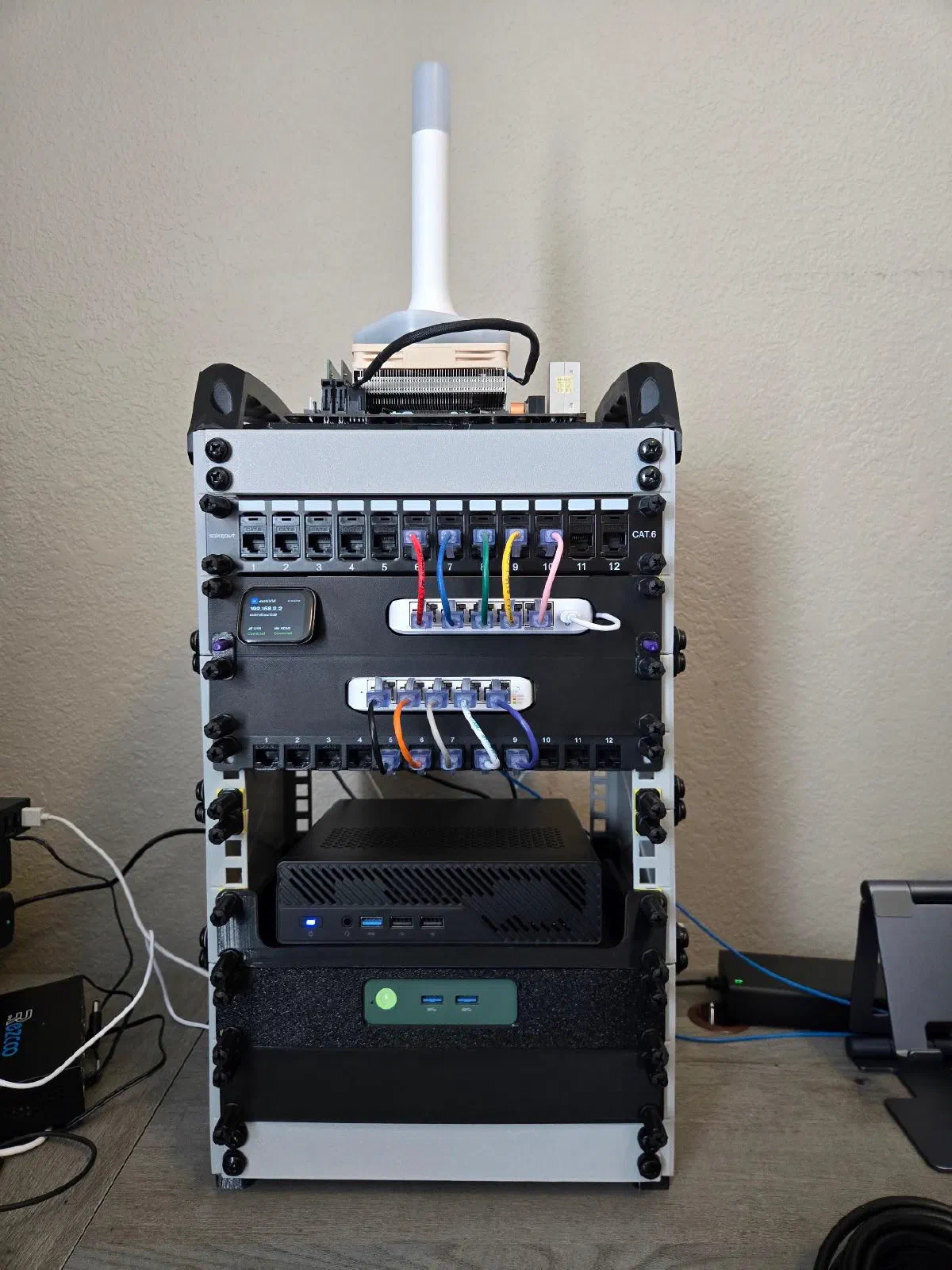
- 3D Printed 10" 8u Mini Rack - While I don’t know if I’ll ever truly be able to downsize and completely decommission the 19" rack in the basement, my primary compute lives in this 10" mini rack
Smart Home/IoT Devices
This area of infrastructure has the most change and turnover due to our wants and needs, convenience, etc. and things get cycled out due to age, security incidents and lack of trust afterwards, newer protocols with additional features, and many other criteria.
- Home Assistant Connect ZBT-2 - Zigbee receiver connected to a USB port on the Minisforum MS-01
- Nest Video Doorbell - So we can see who’s at the door
- Ecobee 4 Smart Thermostat - Allows for scheduling home/away temperatures and changing temperature via phone or voice
- Lutron Hub - Controls the switches for the ceiling fans and lights in the living room and master bedroom
- Smart speakers/displays - Several Google Home speakers and displays/tablets, Satellite1 Smart Speaker from FutureProofHome that shipped as a DIY kit that I assembled
- Various Smart Plugs/Outlets - mostly controlled over wifi since I only recently got into Zigbee devices in our home
- Rachio Smart Sprinkler Controller - allows control of the irrigation system from my phone, allows for schedule changes, smart rain skips
- Wyze Cameras - we use these mainly to keep an eye on the animals when we aren’t at home to make sure they’re not destroying anything
Media Consumption Devices
- 2x Nvidia Shield TV - one Pro and one non-Pro model; these have been so rock solid that I bought a 3rd on Black Friday to have on standby when one of the current Shields die
- Sonos Speakers - one Beam with 2x One speakers as surround sound in the living room, one Ray in the master bedroom, and one Roam in the kitchen to play music and to play TV audio when we are cooking or eating
- Amazon Fire TV Stick - one in the guest bedroom for guests to use (obviously) or if one of us is sick and needs to sleep in the guest room; I got them as Black Friday deals, but will no longer buy them due to Amazon’s increasingly locked down ecosystem
- Onn Streaming Devices - one in the master bedroom and one in my office; these are what I am buying now for secondary (non-living room) TVs and for my parents’ TVs, and I recommend them to anyone who asks over Fire TV Sticks
Thank you for coming along for the beginning of the journey through my homelab! Part 2 will cover the software stack that all of my apps and services are running on.